How to Reduce Patient No-Shows: Practical Fixes That Fill Your Schedule Back Up
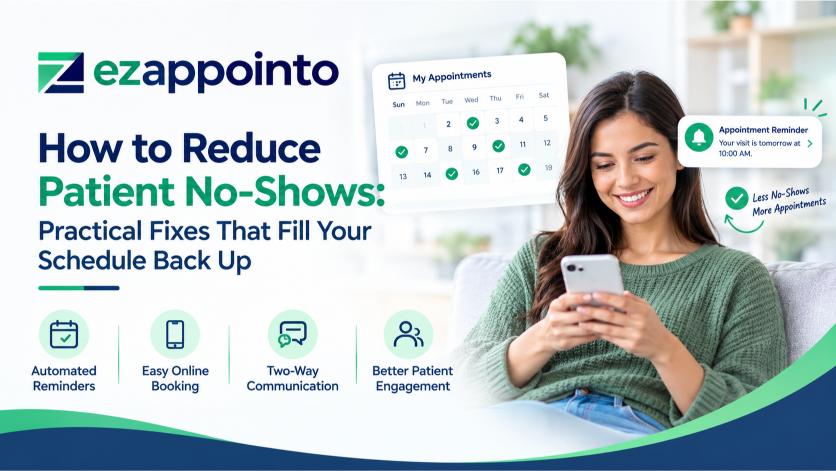
Picture a Tuesday at a busy family practice. The schedule shows 28 patients. By 11 a.m., five of them have not arrived and have not called. The doctor sits in an empty exam room while the waiting room runs behind on the other side of the building. Nobody made a mistake. The practice simply lost five appointment slots, and the staff cannot get them back.
No-shows rarely feel dramatic, which is why practices tolerate them. A single empty slot looks small. Added up across a week, a month, and a year, the empty slots become one of the largest hidden costs in outpatient care. This guide explains what no-shows really cost, why patients skip appointments, and which fixes work best. It also shows where a scheduling platform like EzAppointo fits into the plan.
What a Missed Appointment Really Costs
Start with the national picture. No-shows drain an estimated $150 billion from the U.S. healthcare system each year, and each missed visit costs a practice roughly $200, according to DexCare's analysis of no-show data. Those figures sound abstract until you apply them to one practice. A clinic that loses ten slots a week gives up about $2,000 weekly, or more than $100,000 a year.
Revenue is only part of the damage. A no-show also leaves a provider idle while other patients wait longer for an opening. Researchers who studied a large family practice found that missed and cancelled visits took up a large share of scheduled slots and created a measurable revenue gap, as reported in a study hosted by the National Center for Biotechnology Information. Patients who skip care also tend to return sicker, which raises costs for everyone later.
Staff time suffers too. Front desk employees spend hours calling patients, rebuilding schedules, and juggling waitlists by hand. That effort pulls them away from the patients standing in front of them.
Why Patients Skip Appointments
You cannot fix a problem without knowing its causes. Patients miss visits for reasons that range from forgetfulness to fear, and most of those reasons are practical rather than careless.
Some patients simply forget. A visit booked six weeks ago slips out of mind when work, kids, and daily life crowd the calendar. Others hit a barrier on the day itself: a sick child, a ride that fell through, a shift that ran long. Some patients worry about cost or dread what the provider might say. And a surprising number never intended to cancel but could not find an easy way to do it. If cancelling means waiting on hold, many patients choose silence instead.
That last cause deserves attention because it is the easiest one to fix. A patient who can cancel in thirty seconds from a phone frees the slot for someone else. A patient who needs a phone call often does nothing at all.
Fix One: Make Booking and Cancelling Easy
Friction at the front end creates no-shows at the back end. A patient who struggled through a phone tree to book an appointment feels less committed to it. A patient who picked the exact time online, at a moment that suited them, shows up more often.
Patient self-scheduling solves both sides. When people can see real availability and choose a slot at any hour, they book appointments that fit their lives. The same tool should let them cancel or reschedule with a few taps. Practices often worry that easy cancelling will increase cancellations. In reality, it moves them earlier, which gives the front desk time to refill the slot.
EzAppointo offers online booking around the clock, so patients do not have to wait for office hours to act. Practices that want more patients to find that booking page can pair it with healthcare SEO services, because a booking tool only helps when patients can reach it.
Fix Two: Send Reminders That Patients Actually Notice
Reminders remain the most proven tool against forgetfulness, and the details matter. A single reminder the night before helps, but a sequence works better. Many practices send a confirmation right after booking, a nudge a few days out, and a final reminder the morning of the visit.
Channel choice matters as well. Most patients read a text within minutes, while an email can sit unopened for days. Offering both lets patients pick the channel they trust. Every reminder should include a clear way to confirm, reschedule, or cancel, because a reminder without an action button only reminds patients of a conflict they cannot resolve.
Automation does the heavy lifting here. A front desk that sends reminders by hand will skip them on busy days. A system that sends them automatically never skips a day, never forgets a patient, and never lets a reschedule fall through the cracks.
Fix Three: Collect Intake Information Before the Visit
Paperwork feels like a small detail, yet it influences attendance. Patients who complete intake forms ahead of time are about 25% less likely to miss their appointment, according to Dialog Health's review of digital intake data. The likely reason is commitment. Once a patient invests ten minutes filling out a form, skipping the visit feels like wasting that effort.
Digital intake helps the practice, too. Staff no longer re-type clipboard forms, and providers walk into the room already knowing the patient's history and reason for the visit. Visits start on time because check-in takes seconds instead of minutes.
Fix Four: Fill Cancelled Slots Quickly
Even the best reminder program will not stop every cancellation. Practices that recover well treat a cancellation as a prompt to act rather than a loss to accept
A waitlist turns cancelled slots into new bookings. When a patient cancels, the system can offer that time to patients who asked for an earlier appointment. Many patients jump at the chance, and the practice recovers revenue that would otherwise vanish.
Early cancellation also helps. A slot freed two days ahead can almost always be refilled. A slot freed two hours ahead rarely can. That is one more reason to make cancelling effortless.
Fix Five: Offer Video Visits for the Right Appointments
Some missed visits come from logistics. A patient with a sick toddler, a long commute, or an unpredictable work shift may skip a visit that could have happened by video. Offering telehealth for follow-ups, medication reviews, and similar check-ins removes the barrier of travel.
Video works best when it lives inside the same system as scheduling. The patient books once, receives one link, and joins with one click. Federal guidance says that telehealth platforms must follow HIPAA's privacy and security rules, and the Telehealth.HHS.gov guidance on HIPAA for telehealth technology explains what practices need to confirm with any video vendor. Choosing a platform with secure video built in keeps both convenience and compliance in one place.
Fix Six: Track the Numbers and Find the Pattern
Few practices know their real no-show rate by provider, appointment type, or time of day. Without that data, every fix amounts to guessing.
Start by tracking no-shows for a month. Break the results down by day of the week, time slot, and visit type. Patterns usually appear fast. Monday mornings might run worse than Thursday afternoons. New-patient visits might miss more often than follow-ups. A single provider's schedule might carry most of the problem.
Once the pattern shows, you can target it. Add an extra reminder for the worst time slot. Require a confirmation for new patients. Offer video for the visit type that fails most often. Small, specific changes beat broad policies because they address the real cause rather than the average one.
A Simple Rollout Plan
Practices do not need to overhaul everything at once. A phased plan keeps the change manageable.
Start with a baseline. Record your current no-show rate for one month so you can measure progress honestly.
Next, turn on automated reminders and give patients an easy way to confirm or cancel. This step alone often produces visible results within weeks.
Then add online booking and digital intake, starting with one provider or one location. Gather feedback from staff and patients, adjust the workflow, and expand once it runs smoothly.
Finally, add a waitlist and review your numbers monthly. Compare the new rate against your baseline, and keep the changes that move it.
What About Policies and Fees?
Some practices respond to no-shows with penalties. Cancellation fees can discourage careless behavior, but they carry risks. A harsh policy can push away patients who already feel anxious about cost, and it often generates complaints that take more staff time than it saves.
Most practices see better results by fixing the process first. Easier booking, smarter reminders, and faster slot recovery reduce no-shows without damaging patient relationships. A fee policy, if you adopt one, works best as a last resort for repeat offenders, applied with clear communication and room for genuine emergencies.
Getting Started
No-shows will never drop to zero, and they do not need to. A practice that cuts its rate from 20% to 12% gains back dozens of appointments each month without adding a single provider or a single marketing dollar. The fixes are not complicated. They ask for easy booking, reliable reminders, early intake, quick refills, and honest tracking.
If your schedule still has too many empty slots, take a closer look at how EzAppointo handles booking, reminders, intake, and video visits in one place. You can browse more practice-growth guides on the Finit Digital blog, contact the team to talk through your own numbers, or visit the Finit Digital homepage to see how scheduling fits alongside the rest of its healthcare marketing services.